Note
Go to the end to download the full example code
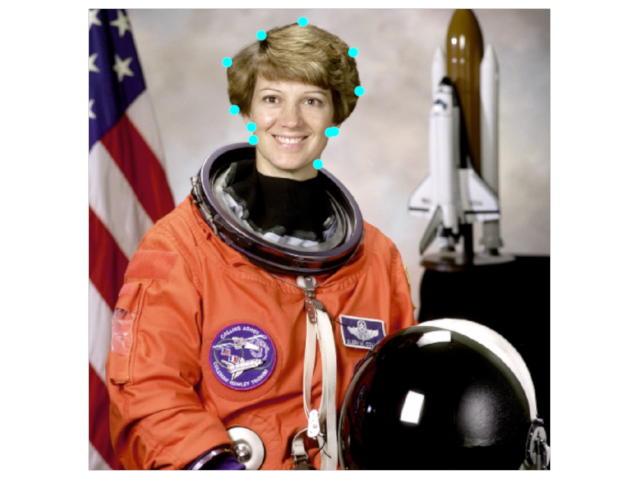
Image with Points Overlaid
Show an image with points overlaid.
import imageio.v3 as iio
from wgpu.gui.auto import WgpuCanvas, run
import pygfx as gfx

canvas = WgpuCanvas()
renderer = gfx.renderers.WgpuRenderer(canvas)
scene = gfx.Scene()
im = iio.imread("imageio:astronaut.png")

image = gfx.Image(
    gfx.Geometry(grid=gfx.Texture(im, dim=2)),
    gfx.ImageBasicMaterial(clim=(0, 255)),
)
scene.add(image)
<pygfx.Scene at 0x7f3dc0ca9af0>
xx = [182, 180, 161, 153, 191, 237, 293, 300, 272, 267, 254]
yy = [145, 131, 112, 59, 29, 14, 48, 91, 136, 137, 172]

points = gfx.Points(
    gfx.Geometry(positions=[(x, y, 1) for x, y in zip(xx, yy)]),
    gfx.PointsMaterial(color=(0, 1, 1, 1), size=10),
)
scene.add(points)

camera = gfx.PerspectiveCamera(0)
camera.local.scale_y = -1
camera.show_rect(-10, 522, -10, 522)

controller = gfx.PanZoomController(camera, register_events=renderer)

if __name__ == "__main__":
    canvas.request_draw(lambda: renderer.render(scene, camera))
    run()
Total running time of the script: (0 minutes 0.546 seconds)
