pygfx.geometries.box_geometry

pygfx.geometries.box_geometry(width=1, height=1, depth=1, width_segments=1, height_segments=1, depth_segments=1)

Generate a box (rectangular cuboid).

Creates a box (a rectangular cuboid) of the given size that is centered around the local frame’s origin. Faces may be subdivided by specifying the number of segments along each axis. This will result in all faces parallel to the given axis to be evenly devided into the requested number of segments.

Parameters:
  • width (int) – Size along the x-axis.

  • height (int) – Size along the y-axis.

  • depth (int) – Size along the z-axis.

  • width_segments (int) – Number of segments along x-axis.

  • height_segments (int) – Number of segments along y-axis.

  • depth_segments (int) – Number of segments along z-axis.

Returns:

box – A geometry object containing the requested box shape. Mathematically, it consists of a set of open orientable manifolds.

Return type:

Geometry

Examples
Use gfx.show

Use gfx.show

Hello World

Hello World

Lights

Lights

Hello text

Hello text

Offscreen Rendering

Offscreen Rendering

Clipping Planes

Clipping Planes

Orbit Camera

Orbit Camera

Use gfx.show to show a Scene

Use gfx.show to show a Scene

Geometry Cubes

Geometry Cubes

Gizmo to transform world objects

Gizmo to transform world objects

Transform Control without Matrix Updating

Transform Control without Matrix Updating

Stats helper (Manual)

Stats helper (Manual)

Color Picking

Color Picking

Scene Overlay

Scene Overlay

Directional Shadow 1

Directional Shadow 1

Mesh Slice Material

Mesh Slice Material

Subplots 1

Subplots 1

Text snake

Text snake

Use a Skybox

Use a Skybox

Nested Scenes

Nested Scenes

Types of Cylinders

Types of Cylinders

Mesh Picking

Mesh Picking

Directional Shadow 2

Directional Shadow 2

Multi-Object Selection

Multi-Object Selection

Spotlight Shadow

Spotlight Shadow

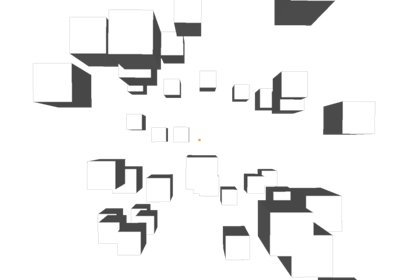
Box Geometry

Box Geometry

Light and Shadow

Light and Shadow

Volume and Volume Slice Rendering

Volume and Volume Slice Rendering

Simple Cube with WX

Simple Cube with WX

Simple Cube with Qt

Simple Cube with Qt

Two Canvases

Two Canvases

Fullscreen Postprocessing 2

Fullscreen Postprocessing 2

Reactive rendering loop

Reactive rendering loop

Full-Screen Post Processing 1

Full-Screen Post Processing 1