Note
Go to the end to download the full example code.
Validate volume slice
Same as validate_image.py, but for volume slices.
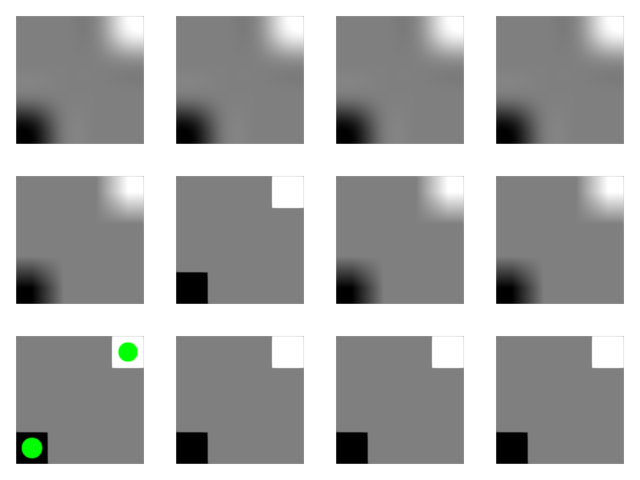
import numpy as np
from rendercanvas.auto import RenderCanvas, loop
import pygfx as gfx


canvas = RenderCanvas()
renderer = gfx.renderers.WgpuRenderer(canvas)
scene = gfx.Scene()

data = np.array(
    [
        [0, 1, 1, 1],
        [1, 1, 1, 1],
        [1, 1, 1, 1],
        [1, 1, 1, 2],
    ],
    np.uint8,
).reshape(1, 4, 4)

# Using different dtypes:
#
# float -> r32float, sampler
# uint8 -> r8unorm, sampler
# int16 -> r16sint, no sampler | later maybe r16snorm with sampler
# uin32 -> r32uint, no sampler

for dx, dtype in enumerate(["float32", "uint8", "int16", "uint32"]):
    typed_data = data.astype(dtype)

    for dy, interpolation in enumerate(["nearest", "linear", "cubic"]):
        volume = gfx.Volume(
            gfx.Geometry(grid=gfx.Texture(typed_data, dim=3)),
            gfx.VolumeSliceMaterial(clim=(0, 2), interpolation=interpolation),
        )
        volume.local.position = dx * 5, dy * 5, 0
        scene.add(volume)

# Points go on the first (float / nearest-neighbour interpolated) slice
points = gfx.Points(
    gfx.Geometry(positions=[[0, 0, 1], [3, 3, 1]]),
    gfx.PointsMaterial(color=(0, 1, 0, 1), size=20, aa=True),
)
scene.add(points)

camera = gfx.OrthographicCamera()
camera.show_rect(-1, 19, -1, 14)

canvas.request_draw(lambda: renderer.render(scene, camera))


if __name__ == "__main__":
    print(__doc__)
    loop.run()
Total running time of the script: (0 minutes 2.080 seconds)