Note
Go to the end to download the full example code.
Wobbly Mesh
Example showing a Torus knot, with a wobble effect by making use of a nonlinear transform that applies an time-dependent offset to the vertex positions. The Mesh is subclassed in order to add the uniform values used by the wobble effect.
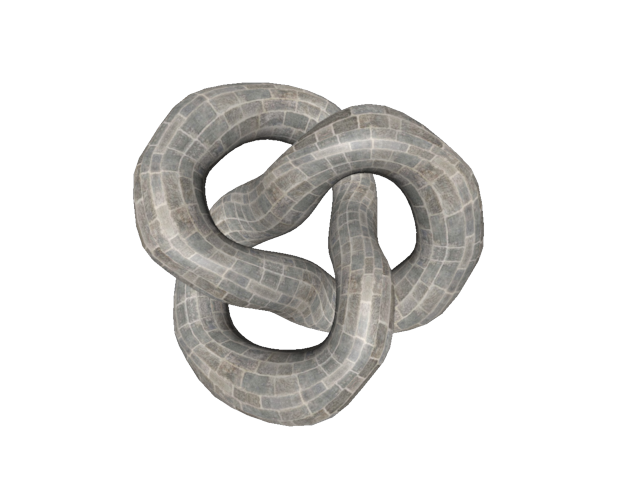
import time

import imageio.v3 as iio
from rendercanvas.auto import RenderCanvas, loop
import pygfx as gfx


class WobblyMesh(gfx.Mesh):
    uniform_type = dict(
        gfx.Mesh.uniform_type,
        amplitude="f4",
        t="f4",
    )

    _nonlinear_wgsl = """
        fn nonlinear_transform(pos: vec3f) -> vec3f {
            let a = u_wobject.amplitude;
            let t = u_wobject.t;
            return vec3f(
                pos.x + a * sin(pos.x * 3.1 + t * 1.3),
                pos.y + a * sin(pos.y * 7.2 + t * 2.1),
                pos.z + a * sin(pos.z * 8.7 + t * 2.4)
            );
        }
    """

    def __init__(self, *args, **kwargs):
        super().__init__(*args, **kwargs)
        self.nonlinear_transform = self._nonlinear_wgsl
        self.uniform_buffer.data["amplitude"] = 0.05

    def _update_object(self):
        super()._update_object()
        self.uniform_buffer.data["t"] = time.perf_counter()
        self.uniform_buffer.update_full()


canvas = RenderCanvas(update_mode="continuous")
renderer = gfx.renderers.WgpuRenderer(canvas)
scene = gfx.Scene()

im = iio.imread("imageio:bricks.jpg")

mesh = WobblyMesh(
    gfx.torus_knot_geometry(1, 0.3, 128, 32),
    gfx.MeshPhongMaterial(map=gfx.Texture(im, dim=2)),
)
mesh.geometry.texcoords.data[:, 0] *= 10  # stretch the texture
scene.add(mesh)

camera = gfx.PerspectiveCamera(70, 1)
camera.show_object(scene)

scene.add(gfx.AmbientLight(), camera.add(gfx.DirectionalLight()))

controller = gfx.TrackballController(camera, register_events=renderer)


if __name__ == "__main__":
    canvas.request_draw(lambda: renderer.render(scene, camera))
    loop.run()
Total running time of the script: (0 minutes 0.373 seconds)